

The digital felt is a classroom. Modern play requires more than instinct. Specialized software provides the edge needed to succeed.
These resources are not a magic wand for instant success. They make your sessions smoother and more profitable over time.
Professional players rely on a core set of programs. The top three are PokerTracker 4, The Upswing Poker Lab, and Equilab.
They help you study past decisions. You can find and fix strategic leaks. Mastering equity calculations becomes straightforward.
Using this technology gives you a significant competitive advantage. Playing without it puts you at a real disadvantage.
If you’re new, don’t worry. This guide will walk you through each program’s function step-by-step.
We will also cover other essential types of poker software. This includes tracking programs, HUDs, and advanced training courses.
You’ll learn how to choose, set up, and integrate these resources into your routine. The goal is long-term, sustainable improvement.
Always check your site’s rules. Use these applications in a legal and ethical manner.
For any serious competitor aiming to climb the stakes, this is a worthwhile investment in your game.
Why Poker Hand Analysis Tools Are Essential for Modern Players
Gone are the days when gut feeling alone could guarantee consistent wins. The modern digital card game is a data-intensive endeavor. Every session on virtual tables generates an overwhelming amount of information.
Specialized programs process raw hand history files from poker rooms. These text files record every detail: time, date, player names, stack sizes, and all actions. This software transforms chaotic data into a structured digital memory bank.
The value lies in creating actionable insights. You move from guessing to knowing. You understand your own strategic leaks and opponent tendencies with precision.
Relying on memory or intuition is now insufficient for profit. The competitive environment is too tough. Seasoned professionals have used these resources for years.
These applications level the playing field. A dedicated newcomer can compete with experienced veterans. It’s about working smarter, not just harder.
The technology identifies patterns invisible to the naked eye. Over thousands of hands, subtle leaks become glaringly obvious. You can fix mistakes you never knew you made.
Efficiency gains are massive. Automating data collection frees your mental energy. You focus on strategic decision-making instead of manual note-taking.
Better decisions directly improve bankroll management. Higher win rates and reduced variance follow. Your financial stability grows from a foundation of solid information.
For anyone transitioning from casual play to serious grinding, this integration is critical. Moving up in stakes requires this edge. It turns ambition into sustainable results.
Integrating these platforms is no longer optional. For long-term success on the best online poker sites, it’s a fundamental requirement. The top players use software; you should too.
Understanding the Different Types of Poker Software
Improvement in the modern game is driven by three distinct classes of technological aids. Knowing what each category does is the first step to building your own winning system.
These resources form a complete ecosystem for study and play. They cover data collection, mathematical grounding, and strategic education.
Tracking Software & HUDs: Your Digital Memory Bank
Programs like PokerTracker and Hold’em Manager act as your automated notepad. They import hand history files generated by card rooms.
Every action from every session is logged into a searchable database. This creates a statistical profile for you and every opponent you face.
The real-time benefit is the Heads-Up Display, or HUD. This table overlay shows key stats next to each player’s name. You see tendencies like how often they voluntarily put chips in the pot.
This combination turns guesswork into informed decision-making. It is the foundation for any serious, data-driven approach.
Equity Calculators & Poker Solvers: The Math Engine
This category deals with the pure mathematics of the game. Basic equity calculators are essential for understanding odds.
You input two hands or ranges, and the tool computes the exact probability of winning. This is critical for evaluating pot odds and expected value on the fly.
Advanced poker solvers like GTO Wizard take this much further. They use game theory optimal models to analyze complex decision trees.
Solvers suggest balanced strategies for any situation. They are the ultimate resource for understanding modern, theoretically sound play.
Training Courses & Strategy Software: The Knowledge Hub
While trackers collect data and calculators crunch numbers, this final type builds your mind. Interactive training software provides structured learning.
Platforms like the Upswing Poker Lab offer video lessons, quizzes, and curated curricula from top professionals. They transform abstract concepts into actionable plans.
This is where you learn the “why” behind the statistics and the math. It closes the loop between information, calculation, and expert application.
Most professional poker players use a combination of all three types. Some modern trackers even include built-in equity calculators.
Your choice depends on your current skill level and goals. Understanding this ecosystem ensures you invest in the right resources for your journey.
In-Depth Review: PokerTracker 4 – The Industry Standard
Serious competitors understand that reliable data is the cornerstone of strategic improvement. In the realm of tracking software, one platform is universally recognized as the benchmark. PokerTracker 4 is the industry standard for a compelling set of reasons.
It is the program of choice for a vast majority of dedicated online grinders. Its blend of power, stability, and user-friendliness is unmatched. This review breaks down why it earns its top-tier reputation.
Core Features: Tracking, HUD, and Database Management
The core function is seamless automation. PT4 imports hand histories from your chosen card room as you play. It builds a massive, searchable database from every session.
This database generates comprehensive statistics for you and every opponent. The real-time magic happens with its heads-up display. This HUD overlays key stats directly onto your tables.
Customization is a major strength. You decide which metrics appear. Common stats include how often a player enters a pot voluntarily or raises pre-flop.
You can group stats and design layouts for different formats. Cash game players and tournament players can have tailored views. Managing massive data samples is efficient and smooth.
Advanced Study Tools: Filters and Hand Replayer
Post-session review is where PT4 truly shines. Its filtering system is incredibly powerful. You can isolate very specific scenarios to study.
For example, find all pots where you faced a 3-bet and then check-raised the turn. This precision helps diagnose complex strategic leaks. The built-in replayer is another essential study aid.
It lets you step through any recorded session. You can see opponent tendencies displayed at each decision point. Reviewing bet sizes and street actions becomes an interactive learning experience.
These software tools transform raw data into actionable insights. They are vital for moving beyond basic play.
Pricing, Compatibility, and Free Trial
PokerTracker 4 operates on a one-time purchase model. An optional annual renewal provides continued support and updates. While not the cheapest option, its value for serious grinders is clear.
A full-featured 14-day free trial is available. This lets you test all functions with your own play. Compatibility is excellent across Windows and Mac OS.
It works with all major poker sites like PokerStars and GG Poker. Supported games include No-Limit, Limit, and Pot-Limit cash games and tournaments for hold’em omaha.
This wide support makes it a versatile choice for diverse players.
| Feature Category | Specific Capabilities | Primary Benefit |
|---|---|---|
| Data Tracking & Import | Automatic import of hand history files from supported poker rooms. | Creates a permanent, searchable record of every session without manual effort. |
| Heads-Up Display (HUD) | Fully customizable real-time stat overlay. Group stats by street and player type. | Provides immediate, actionable reads on opponents during active play. |
| Database Management | Store millions of hands. Label players, take notes, and generate population reports. | Enables deep analysis of long-term trends and opponent pools. |
| Advanced Filters | Create complex queries to find exact situations (e.g., river check-raises in 3-bet pots). | Isolates specific strategic weaknesses for targeted improvement. |
| Integrated Hand Replayer | Step-through review of any hand with opponent stats visible at each action. | Facilitates detailed post-session analysis and mistake review. |
| Game & Site Support | Cash games & tournaments for Hold’em and Omaha. Supports all major sites. | A single software solution works for most forms of online play. |
| Purchase Model | One-time license fee with optional annual support renewal. 14-day free trial. | Lower long-term cost than subscriptions. Risk-free testing period. |
For anyone entering the world of data-driven play, PokerTracker 4 is the recommended starting point. Its reliability and comprehensive feature set justify its status as the best poker tracking solution available. It is a foundational investment for long-term growth at any stake.
In-Depth Review: Hold’em Manager 3 – A Powerful Alternative
Windows users evaluating their options will find Hold’em Manager 3 to be a deeply capable and professional-grade tracking solution. It boasts a long and venerable history in the market, standing as a primary competitor to PokerTracker 4 for over a decade.
This poker software is a top-notch product trusted by many successful grinders. An interesting recent development is the corporate merger. The same company now owns both HM3 and PT4.
Feature Set and Performance Comparison
At its core, HM3 provides the same fundamental suite as its rival. You get robust automatic hand history importing, a fully customizable heads-up display, and deep post-session analysis tools.
Both are exceptional tracking software choices. The differences lie in performance and presentation. Some advanced players report that HM3 has a steeper initial learning curve.
Its interface and workflow feel distinct. In return, it offers unique reporting and data visualization options. These can provide fresh insights for dedicated reviewers.
| Feature Aspect | Hold’em Manager 3 | PokerTracker 4 |
|---|---|---|
| Core Tracking & HUD | Excellent. Highly customizable stats and pop-ups. | Excellent. Slightly more intuitive default setup for beginners. |
| Performance & Learning Curve | Powerful. Can feel complex initially; offers unique report views. | Very stable. Often praised for its user-friendly navigation. |
| Post-Session Analysis | Deep filters, hand replayer, and specialized reports. | Deep filters, hand replayer, and a very strong note-taking system. |
| Historical Data Migration | Ideal for players with large existing HM2 databases. | Ideal for new players or those switching from other platforms. |
| Company & Future Development | Owned by the same parent company as PT4. Future updates may blend strengths. | Owned by the same parent company as HM3. The merger suggests convergent evolution. |
The merger is a key point. It suggests future software updates may blend the best features of both platforms. For now, they remain separate, powerful products.
Target User and Platform Considerations
HM3 finds its strongest audience with specific users. It is often favored by those who prefer its particular workflow and menu structure. Players with massive historical databases in the HM2 format will find migration seamless.
The most critical consideration is platform support. Hold’em Manager 3 is currently a Windows-only application. This makes it a non-starter for Mac-based competitors.
Its pricing model mirrors PT4. It uses a one-time license fee with an optional annual support renewal. A full-featured free trial is available for thorough testing.
Game support is comprehensive for online poker. It works with all major poker rooms. You get full compatibility for Texas Hold’em and Omaha across cash games, tournaments, and sit-and-gos.
This makes it a versatile choice for tournament players and cash game specialists alike. If you are already comfortable with HM2 or HM3, there is no urgent need to switch.
It remains a professionally viable and powerful set of software tools. For Windows users who want a feature-rich tracking suite, HM3 is a strong alternative. Your choice between it and PT4 may come down to personal interface preference.
In-Depth Review: Poker Copilot 8 – The Mac-Friendly Choice
Mac-based competitors finally have a premier tracking suite designed specifically for their platform. Poker Copilot 8 fills a long-standing gap in the market. It delivers professional-grade functionality with a focus on the Apple ecosystem.
This application is also fully compatible with Windows. It stands out for its straightforward approach and compelling value. The software avoids complex subscription models.
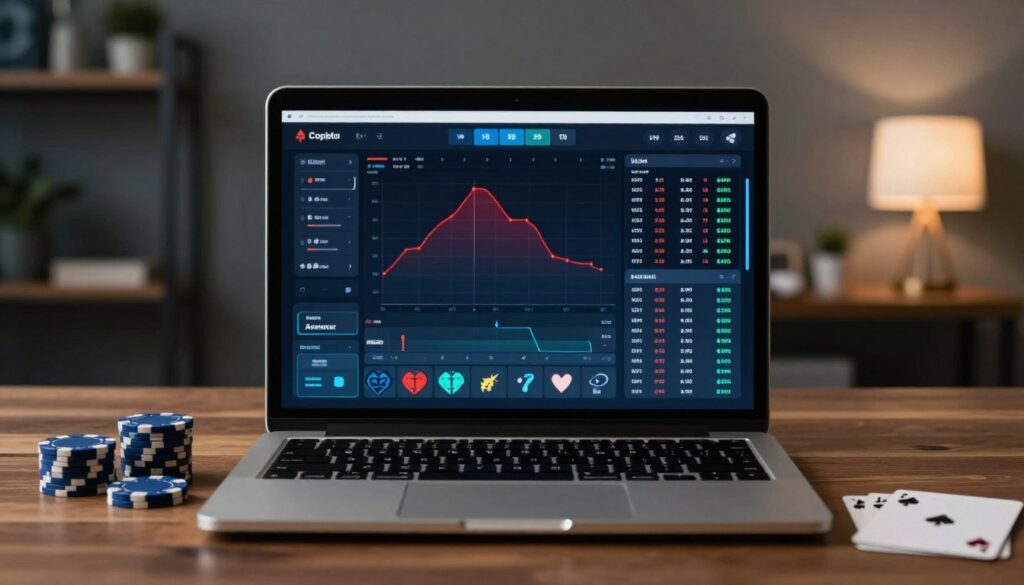
Its core proposition is powerful yet simple. You get a real-time heads-up display, a hand replayer, and support for major networks. It processes your hand histories to build a clear statistical profile.
For many, its affordability and clean interface are the main attractions. It removes the intimidation factor from data-driven play.
AI Hand Analysis and SharkScope Integration
Poker Copilot 8’s most innovative feature is its AI Hand Analysis. This tool provides expert-level feedback on specific situations from your database. It critiques your decisions based on a vast pool of played hands.
The intelligence is powered by SharkScope’s extensive tournament database. This integration adds another powerful layer. Your HUD can display key opponent stats like ITM% and ROI in real-time during tournaments.
This gives you a significant informational edge at the tables. You can instantly gauge an opponent’s tournament proficiency. It is a unique advantage not commonly found in other tracking software.
An important note: the AI hand analysis requires an active SharkScope subscription. The good news is a free one-month Silver subscription is included. This lets you test the powerful combination immediately.
Value Proposition and Cost Comparison
The pricing model is a major differentiator. Poker Copilot 8 uses a simple, tiered one-time license fee. You choose between Micro Stakes ($29), Small Stakes ($49), or All-Stakes ($99) versions.
Each purchase includes lifetime updates for version 8. There are no mandatory annual fees. This contrasts sharply with the industry’s trend toward recurring costs.
Core features are robust for the price:
- Real-time HUD with over 100 essential statistics
- Full hand replayer for detailed post-session review
- Support for Texas Hold’em and Omaha games
- Compatibility with all major poker sites and networks
The long-term value becomes clear when compared to alternatives. Over a standard three-year period, the total cost of ownership is often just the initial license.
| Software | Initial License Cost | Annual Support/Renewal Fee | Estimated 3-Year Total |
|---|---|---|---|
| Poker Copilot 8 (All-Stakes) | $99.00 | $0.00 | $99.00 |
| PokerTracker 4 | $159.99 | $79.99/year (after year 1) | $319.97 |
| Hold’em Manager 3 | $160.00 | $79.99/year (after year 1) | $319.98 |
| DriveHUD 2 | $119.99 | $14.99/year | $164.96 |
Performance and ease of use receive consistent praise. The setup is straightforward on supported online poker sites. The interface is clean and less cluttered than some advanced competitors.
This platform is ideal for value-conscious grinders and those new to tracking. It is the best poker software choice for Mac users seeking a powerful entry point. Players who prefer simplicity over endless customization will appreciate its design.
Poker Copilot 8 is a compelling and cost-effective solution. It delivers essential software tools without locking you into a subscription. For building a solid foundation in data-driven play, it represents outstanding value.
Mastering the Math with Equity Analysis Tools
At the core of every profitable decision lies a simple calculation of equity and pot odds. Your equity is your hand’s precise chance to win the pot at any moment. Pot odds tell you if a call is mathematically justified based on the bet size and pot size.
Understanding these concepts is non-negotiable for making sound choices. It’s the difference between guessing and knowing. For a deep dive into these foundational principles, consider reading about mastering poker mathematics.
Modern poker software automates these complex calculations. This allows you to focus on strategy rather than mental arithmetic. Two primary solutions exist: standalone applications and features built into tracking programs.
Equilab: The Free, User-Friendly Essential
Equilab is the 100% free, industry-standard desktop application. It is renowned for its simplicity and blistering speed. You input specific holdings, like AcAh versus KdKh, and any community cards.
The tool instantly displays real-time equity percentages. This lets you evaluate all-in situations or potential draws with perfect accuracy. Its range-building features are equally powerful.
You can construct complex opponent ranges with just a few clicks. Analyzing how your entire holding fares against a perceived range becomes effortless. Repeated use of Equilab has a profound learning benefit.
Common equity scenarios become imprinted in your memory. This builds intuitive math skills over time. You start to instinctively sense the correct pot odds for a call.
A key compatibility note: Equilab is a Windows executable file. Mac users require a workaround like a Windows emulator. Despite this, its zero cost and focused purpose make it a stellar starting point.
Built-in Equity Calculators in Tracking Software
Many competitors already own powerful tracking suites. A major benefit is that programs like PokerTracker 4 and Hold’em Manager 3 have integrated equity calculators. This eliminates the need for a separate standalone tool.
The functionality is identical to applications like Equilab. You can input hands and ranges, add board cards, and get instant equity results. The convenience of having this math engine within your primary poker software is significant.
It streamlines your study routine. You can review a hand history, then immediately calculate the equity without switching programs. For advanced players dissecting complex spots, this integration is a major time-saver.
The core calculation is the same whether standalone or built-in. The choice often comes down to workflow preference and cost. Beginners on Windows are advised to start with Equilab.
Its free nature allows you to master equity concepts before investing further. These calculators are the engine that powers deeper strategic understanding. They are essential for evaluating all-in and fold-equity scenarios correctly.
| Feature | Standalone (Equilab) | Integrated (PT4 / HM3) |
|---|---|---|
| Cost | 100% Free | Part of tracking software purchase |
| Primary Platform | Windows (requires emulation on Mac) | Windows & Mac (via native tracker) |
| Core Function | Calculate equity for specific hands and ranges | Identical equity calculation functionality |
| Integration | Separate application | Built directly into the tracker’s interface |
| Best For | Beginners & those seeking a free, focused tool | Users who already own and use tracking software daily |
Mastering equity analysis is a foundational skill for any serious competitor. These poker tools make the process efficient and accurate. They provide the mathematical proof behind every strategic move you make.
This knowledge is a prerequisite before exploring more advanced poker solvers like GTO Wizard. Start with these calculators to build your core competency. Your decision-making will become sharper and more profitable.
Beyond Tracking: Advanced Poker Training Software
While trackers document your history and calculators solve for math, a third category of resource builds the strategic mind behind the decisions. These are not passive videos or articles. Interactive training software provides a systematic curriculum designed to upgrade your core knowledge.
This category answers the “why” behind the data. It compresses years of professional experience into a structured, accessible format. Investing in these platforms is one of the fastest ways to accelerate your learning curve and win rate.
The Upswing Poker Lab: A Structured Learning Path
Created by world-class professionals Doug Polk and Ryan Fee, The Upswing Poker Lab is a comprehensive, continuously updated curriculum. It functions as a virtual classroom where you look over the shoulder of elite competitors.
The structure is methodical. It features progressive video modules, interactive quizzes, and an active community forum. Content spans from essential fundamentals to advanced game theory optimal concepts.
This platform is ideal for advanced players and serious students aiming for mid-to-high stakes. Its strength is providing a complete poker strategy framework. You learn a modern, balanced approach applicable across various online poker formats.
BlackRain79 Elite Poker University: Microstakes Focus
For competitors targeting the lower limits, BlackRain79 Elite Poker University offers a laser-focused solution. This program is dedicated to beating small stakes cash games, both online and live.
The content is intensely practical. It delivers over 17 hours of video lessons, hundreds of specific hand examples, and downloadable cheat sheets. These resources are designed for immediate application at the tables.
Its value proposition is clarity for the small stakes grind. The curriculum teaches a straightforward, exploitative strategy that crushes common mistakes at microstakes. It’s a powerful tool for building a bankroll from the ground up.
Other notable training tools fill specific strategic niches:
- Play Fearless Poker: An advanced course dedicated to mastering the art and science of bluffing.
- Crushing the Microstakes: A foundational book and video course that establishes winning fundamentals for new competitors.
The synergy with tracking poker software is critical. Your tracker shows you *what* you did in a session. High-quality training software teaches you *what you should do* next time. This combination closes the feedback loop for rapid improvement.
| Platform | Primary Focus | Best For | Key Deliverables |
|---|---|---|---|
| The Upswing Poker Lab | Comprehensive modern strategy & GTO | Serious players aiming for mid/high stakes on best online poker sites | Structured video modules, quizzes, community access, continuous updates |
| BlackRain79 Elite Poker University | Exploitative microstakes cash game strategy | Players building a bankroll at the lowest limits | 17+ hrs of video, hand examples, cheat sheets, focused game plans |
Selecting the right course depends on your primary game format and stake level. A cash game specialist needs different training tools than a tournament players. Always choose a program that aligns with your specific goals.
For any competitor committed to long-term growth, this investment in knowledge pays the highest dividends. It transforms raw data into winning poker strategy.
How to Choose the Right Poker Hand Analysis Tools for Your Game
Before spending a single dollar, a thoughtful self-assessment will guide your software purchases. The ideal suite for a microstakes newcomer differs vastly from what a high-stakes veteran needs.
Your choice must align with your technical environment, financial plan, and strategic goals. This decision is too important to make on impulse.
Assessing Your Skill Level and Stakes
Begin by honestly evaluating your current position. Are you learning the fundamentals or refining an advanced strategy? Your stakes also dictate the required sophistication of your software tools.
Newcomers and microstakes grinders should start lean. A basic poker hud and a free equity calculator provide immense value. This foundation lets you learn data-driven concepts without a large upfront investment.
Intermediate to advanced players need more power. Full-featured trackers with deep filtering are essential. You might also consider a solver for complex strategic study.
Your primary game format is another key factor. Ensure any program supports your chosen variant, be it hold’em omaha cash games or multi-table tournaments.
Platform Compatibility: Windows vs. Mac
This is a non-negotiable technical checkpoint. Installing incompatible poker software is a waste of time and money.
Windows users have the widest selection. They can choose from PokerTracker 4, Hold’em Manager 3, and Poker Copilot 8 with full functionality.
Mac-based competitors have a more curated list. PokerTracker 4 offers native Mac support. Poker Copilot 8 is also designed for the Apple ecosystem.
A critical warning: Hold’em Manager 3 is currently a Windows-only application. The popular equity calculator Equilab also requires a Windows emulator on Mac.
Always verify platform requirements on the developer’s website before you buy.
Budgeting for Software: One-Time vs. Subscription Fees
Understanding the cost structure prevents surprise expenses. The market offers two primary models: one-time purchases and recurring subscriptions.
Programs like Poker Copilot 8 and the base licenses for PT4/HM3 use a one-time fee. This often includes lifetime updates for that major version. Optional annual support renewals provide new site compatibility and bug fixes.
Training platforms and advanced solvers commonly use subscriptions. You pay monthly or yearly for continuous access to updated content.
The true cost is the total cost of ownership over 1-3 years. Factor in all renewal fees to make an accurate comparison.
| Model Type | Common Examples | Typical Cost Over 3 Years | Best For |
|---|---|---|---|
| One-Time Purchase | Poker Copilot 8, PT4/HM3 (base license) | $99 – $320 | Players seeking predictable, long-term value |
| Subscription | Training sites (Upswing Lab), some solvers | $300 – $600+ | Those who want constantly updated educational content |
Nearly all major tracking programs offer a full-featured free trial. This allows for risk-free testing on your own hardware. It is a significant advantage for making an informed choice.
Also evaluate the value of community and support. Choose software tools with active forums and responsive customer service.
The right tool fits your environment, budget, and current ambitions. It is not necessarily the most expensive option on the market. A smart, tailored selection is a powerful step toward beating the competition on the best online poker sites.
Comparing the Top Contenders: Feature Breakdown
Choosing the right digital assistant requires a clear comparison of core features and performance. This side-by-side analysis of PokerTracker 4, Hold’em Manager 3, and Poker Copilot 8 cuts through marketing claims.
Our goal is to provide an objective resource for your final decision. We will examine tracking depth, customization, and unique advantages.
Tracking Capabilities and HUD Customization
All three platforms reliably import hand histories from major online poker sites. Accuracy and speed are excellent for building your database.
Differences emerge in statistical depth and heads-up display flexibility. PokerTracker 4 offers the largest library, with over 200 pre-configured stats.
Hold’em Manager 3 provides a robust set of around 150 statistics. Poker Copilot 8 includes a focused selection of 100+ essential metrics.
Customization is a key strength for advanced players. PT4 and HM3 allow deeply personalized pop-ups and table layouts. Poker Copilot prioritizes a clean, user-friendly interface over extreme customization.
Post-Session Analysis and Reporting Tools
Your review process depends on powerful filtering and clear reports. Each suite delivers strong tools for isolating problem spots.
PokerTracker 4 is renowned for its intuitive and granular filter system. You can drill down into complex scenarios with ease.
Hold’em Manager 3 counters with superior data visualization and reporting graphics. Its charts and summaries provide unique insights at a glance.
All three include a fully functional hand replayer. This is essential for stepping through critical decisions and reviewing bet sizes.
Support for Game Types: Hold’em, Omaha, Tournaments
Compatibility with your preferred format is non-negotiable. Fortunately, all three tracking software options provide comprehensive support.
They work flawlessly with Texas Hold’em and Omaha. This covers both cash games and tournament formats.
Fast-fold variants like Zoom on PokerStars are fully supported. Your HUD will function correctly in these fast-paced environments.
This makes each platform a viable choice for tournament players and cash game specialists alike. Your hold’em omaha sessions are covered.
| Software | Available Statistics | Key HUD Feature | Best Analysis Tool | Unique Selling Point | Ideal User Profile |
|---|---|---|---|---|---|
| PokerTracker 4 | 200+ | Extremely customizable pop-ups & layouts | Powerful, intuitive filtering system | Industry-standard reliability & extensive stat library | Windows/Mac power users seeking depth |
| Hold’em Manager 3 | 150+ | Advanced stat grouping and visual design | Superior graphical reports and data visualization | Deep reporting for detailed database mining | Windows users who prioritize post-session analysis |
| Poker Copilot 8 | 100+ | Clean, simple interface with essential stats | Integrated AI Hand Analysis (with SharkScope) | Exceptional value, no subscription, Mac-native | Budget-conscious & Mac-based competitors |
Network support is universal across the board. These poker trackers work with PokerStars, partypoker, GG Poker, and WPN.
Special features like Poker Copilot’s SharkScope integration offer a distinct edge in tournaments. PT4’s built-in equity calculator is a convenient study aid.
For the best poker software choice, match the platform to your needs. Budget Mac users should strongly consider Poker Copilot 8.
Windows power users debating between PT4 and HM3 should try both free trials. Your personal workflow preference will decide.
This objective breakdown arms you with the facts. You can now invest in the software tools that align with your game and goals.
Setting Up Your First Poker HUD: A Beginner’s Guide
Seeing numbers appear next to your opponents’ names for the first time can feel like unlocking a superpower. This guide will take you from software installation to a fully functional heads-up display on your tables.
We will demystify the entire process. You will learn to configure auto-import folders and verify hand histories are saving correctly.
The goal is a seamless, real-time data feed. Your tracking software becomes an extension of your strategic mind.
Key Statistics to Display for Maximum Impact
Your poker hud should present information clearly and quickly. Start with the essential “first four” statistics every competitor needs.
VPIP (Voluntarily Put $ In Pot) shows how often a player enters a pot. A low number indicates tight play; a high number shows looseness.
PFR (Pre-Flop Raise) reveals how often they raise before the flop. Comparing PFR to VPIP shows their pre-flop aggression.
3-Bet% indicates how often a player re-raises a pre-flop raise. This stat is crucial for understanding their opening and defending ranges.
Total Hands is the sample size next to each stat. This number tells you how reliable the data is. You need a meaningful sample for accurate reads.
Expand your view with crucial post-flop metrics. Continuation Bet (CBet) % shows how often a player bets after raising pre-flop.
Fold to CBet reveals how often they fold to that bet. These two stats together paint a picture of post-flop aggression and passivity.
Aggression Frequency (AFq) measures how often a player takes aggressive actions (bet/raise) versus passive ones (call/check).
These metrics provide the core insights for any online poker session. They are the foundation of a data-driven approach.
| Statistic | What It Measures | Strategic Insight | Reliable Sample |
|---|---|---|---|
| VPIP | % of hands a player voluntarily puts money in the pot pre-flop. | Identifies loose (high VPIP) vs. tight (low VPIP) opponents. | 100+ hands |
| PFR | % of hands a player raises pre-flop. | Shows pre-flop aggression. A big gap between VPIP and PFR indicates a calling station. | 100+ hands |
| 3-Bet% | % of time a player re-raises a pre-flop raise. | Reveals willingness to play big pots pre-flop and defend blinds. | 250+ hands |
| Total Hands | Number of hands observed for that player. | Context for all other stats. Low sample = tentative read. | N/A |
| CBet% | % of time a player bets the flop after raising pre-flop. | Indicates standard flop aggression. High % suggests an automatic c-bettor. | 20+ opportunities |
| Fold to CBet | % of time a player folds to a flop continuation bet. | Shows flop passivity. High % means they are likely to fold to flop pressure. | 20+ opportunities |
| AFq | Frequency of aggressive actions (Bet+Raises) vs. total actions. | Overall aggression meter. Low AFq players are passive; high AFq players are very aggressive. | 50+ hands |
Customizing Layouts for Different Game Formats
Physical layout is critical for quick information processing. Group related stats logically, like putting all pre-flop numbers together.
Use color coding for instant recognition. For example, make very high VPIP numbers red and very low numbers blue.
Position the heads-up display so it never obscures community cards or your own hole cards. Most software tools let you drag and drop the stat panel.
Create and save different HUD profiles. A compact layout is vital for multi-tabling 6-max Zoom games.
Single-table tournaments allow for a more detailed profile. You can include more niche stats for deeper reads.
Full ring cash games might use a layout balanced between the two. Your hold’em omaha sessions may require a separate profile with game-specific stats.
Optimize performance to prevent lag. Reduce the number of stats displayed if you play many tables. Close other programs to free up CPU resources.
We recommend starting with a pre-built, proven HUD profile. Many professional tournament players and coaches like BlackRain79 offer free or paid layouts.
This gives you a solid foundation. You can then tweak it to your personal preferences over time.
Remember, your poker hud is a tool for pattern recognition, not a crystal ball. It provides powerful clues about bet sizes and tendencies.
You must still interpret these clues within the specific context of each poker game. The final decision always rests with you.
From Data to Decisions: How Pros Use Analysis Tools
Elite competitors have a secret weapon: a systematic process that turns raw statistics into exploitable edges. The best poker pros use their software tools not just to record events, but to drive a continuous improvement cycle.
This method moves far beyond glancing at a graph. It involves targeted investigation and strategic adaptation. Your goal is to beat poker pros at their own game by mastering this cycle.
Identifying and Fixing Personal Leaks
The greatest feature of tracking software is its powerful filter system. You can break the game into tiny, specific scenarios for review.
For example, create a filter for “3Bet pots where I check-raised the turn.” You can then analyze your results and decision quality in that exact spot. This precision is how advanced players find hidden weaknesses.
Isolate losing situations like “hands where I called a 3-bet out of position.” If your win rate here is deeply negative, it flags a major strategic leak. The data doesn’t lie; it shows where your poker strategy is failing.
Once a leak is identified, the study phase begins. Use an equity calculator or a poker solver like GTO Wizard to find the theoretically sound play. This closes the feedback loop between mistake and correction.
This process is iterative and powerful:
- Use filters to find a negative win rate scenario.
- Study the correct strategy using training software or solvers.
- Implement the new tactic at the tables.
- Re-run the filter later to verify your improvement.
Warning: avoid “paralysis by analysis.” Your goal is to find and fix a few high-impact leaks. Do not chase perfection in every obscure spot.
Exploiting Opponent Tendencies with Data
The same software tools used for self-analysis are perfect for profiling opponents. Build a custom report on any regular player you face.
You can see their fold-to-3bet percentage, their stealing frequency from the button, and their bet sizes on different streets. This creates a detailed behavioral map.
Translate these stats into immediate table adjustments. For instance, 3-bet a player who has a high steal but low fold-to-3bet stat. You are using their own data against them in real time.
Tracking software also reveals population tendencies. You can identify common mistakes made by the entire player pool at your stake level. This tells you which exploitative moves will be most profitable.
For example, if the pool over-folds to river bets, you can bluff more. If they call too much, you should value bet thinner. This is how you build a winning strategy for specific poker sites.
Understanding these dynamics is key for both hold’em omaha and Texas Hold’em. The process remains the same, regardless of the variant.
| Step | Action in Software | Strategic Decision |
|---|---|---|
| 1. Profile Opponent | Run a player report to see key stats (VPIP, PFR, Fold to 3-Bet). | Identify if they are tight, loose, aggressive, or passive. |
| 2. Identify Tendency | Note a specific pattern (e.g., folds to 70% of river bets). | Flag this as a potential weakness to target. |
| 3. Plan Exploit | Use the hand replayer to review past similar situations. | Decide to increase bluff frequency on the river against this player. |
| 4. Execute & Verify | Make the adjusted play at the table. The HUD logs the new hand. | Later, filter for “river bets vs. this player” to check success rate. |
The consistent application of this data-to-decision cycle is what separates improving competitors from stagnant ones. It transforms your poker software from a simple recorder into an active coach.
This approach is standard for professional poker success. It turns the vast information from hand histories into a clear path to higher win rates.
Always ensure your use software is within the rules of your chosen poker rooms. Understanding what is software allowed is crucial to avoid issues with real-time assistance violations.
Legal and Ethical Use of Poker Software: What’s Allowed?
The line between a powerful study aid and a cheating tool is defined by site-specific rules. Using technology responsibly is not just about compliance; it’s about protecting your account and the integrity of the game.
Ignorance of the terms of service is never a valid excuse. This section clarifies the often-confusing legal landscape.
Understanding Site-Specific Rules on HUDs and Tools
The general rule across major platforms is clear. Hand history tracking and heads-up displays are explicitly software allowed.
Networks like PokerStars, GG Poker, and partypoker permit these software tools. They recognize them as standard for serious competition.
Exceptions do exist. Some beginner-friendly networks or specific jurisdictions ban HUDs entirely. Others restrict the statistics you can display.
You must always check your chosen poker room‘s “Allowed Software” list. This is found in the Terms of Service. Never assume a tool is permitted.
This table summarizes policies at major poker sites. It provides a quick reference, but always verify with the official source.
| Poker Site | HUD & Tracking Allowed? | Notable Restrictions | Official Policy Link |
|---|---|---|---|
| PokerStars | Yes | Fully permitted. No restrictions on standard HUD stats. | Terms & Conditions, Section 5 |
| GG Poker | Yes | Permitted, but prohibits data mining (observing tables without playing). | Fair Play Policy |
| partypoker | Yes | Allowed, but the use of seating scripts is prohibited. | Software & Tools Policy |
| Winning Poker Network (WPN) | Yes | Permitted across its skins (Americas Cardroom, Black Chip Poker). | Site-Specific Terms |
| Certain “Beginner” Networks | No | Explicitly ban all third-party HUDs and tracking to level the field. | Always check TOS |
The Line Between Analysis and Real-Time Assistance (RTA)
This is the most critical ethical distinction. Real-time assistance software is universally banned. It analyzes the current hand and suggests actions like call, fold, or raise.
Using a HUD to see an opponent’s historical VPIP is legal analysis. You are reviewing collected data. Using a solver while the clock runs is real-time assistance and cheating.
The consequences are severe. Getting caught can mean permanent account closure and fund confiscation.
A gray area exists with pre-solved range charts. Using static notes you created during study is generally acceptable. Automated tools that lookup answers mid-hand may be considered RTA.
Always err on the side of caution. If a program offers any in-hand recommendation, avoid it. Use it only if the site has given explicit written approval.
Ethical use ensures a fair environment. The long-term health of online poker depends on honest competition. Responsible use software to study, not to cheat.
Be reassured. The types poker resources reviewed in this guide—trackers, equity calculators, training courses—are standard and ethical. They are the best poker aids for legitimate improvement.
They do not tell you the real time play. They help you learn from past data and study more efficiently. This is the correct and sustainable path to success in online poker software.
Integrating Tools into Your Regular Study Routine
Building a powerful study habit is the single most effective way to accelerate your learning curve. Owning the best poker software is only the first step. The real edge comes from a disciplined, systematic process that turns data into better decisions.
Consistent, focused review beats sporadic deep dives every time. This section provides a blueprint for integrating your software tools into a sustainable weekly routine.
Creating a Post-Session Analysis Checklist
A structured checklist ensures your review is thorough and efficient. It prevents you from skipping critical steps. Follow this sequence after every significant session.
| Step | Action in Your Software | Purpose & Insight |
|---|---|---|
| 1. Import & Sync | Ensure all hand histories are imported into your tracking software. | Guarantees your database is current. This is the foundation for all analysis. |
| 2. Review Key Hands | Use the hand replayer to examine your 5 biggest wins and 5 biggest losses. | Identifies immediate emotional spots and critical decision points for deeper study. |
| 3. Run a Leak Finder | Generate a standard “Leak Finder” or “Flagged Hands” report in your tracker. | Surfaces obvious mistakes automatically. It’s a quick way to spot glaring issues. |
| 4. Target One Problem Area | Use a pre-saved filter to examine a specific weakness (e.g., blind defense). | Provides focused, actionable insight. You fix one leak at a time. |
| 5. Tag & Note | Use the Notes function to tag interesting hands for a coach or study group. | Creates a curated list of hands for collaborative review and deeper discussion. |
This checklist turns chaotic review into a productive workflow. For more on building a structured poker study plan, explore dedicated resources.
Using Filters to Isolate Specific Problem Spots
Filters are the most powerful feature in your poker tracker or holdem manager. They let you dissect the game into microscopic scenarios. This is how advanced players find hidden leaks.
Start by creating and saving filters for common trouble areas. For example, build a filter for “Facing a 3-Bet from the Big Blind.” Analyze your win rate and actions in this spot.
Another crucial filter is “River Check-Raise Situations.” This reveals how you handle high-pressure bluffs and value bets on the final street.
Also, examine “Steal Attempts from the Button.” Check your success rate and how opponents are reacting. Your bet sizes in these spots are often revealing.
Once a filter exposes a leak, the real work begins. This is where you integrate other poker tools. Use an equity calculator or a poker solver to explore the mathematically optimal poker strategy.
Dedicate a weekly “deep dive” session to a broader topic. Use your database to answer questions like, “How does my range construction change on monotone flops?”
Your training software should feed directly into this process. Watch a module on 3-bet pots in a course like Upswing Lab. Then immediately use your tracker to filter and analyze your own 3-bet pot performance.
This creates a powerful feedback loop. Study informs play, and play generates new data for study. Avoid the trap of only doing one. Balance is key for long-term growth in online poker.
Set specific, measurable goals based on your filter analysis. A good goal is: “Increase my fold to 3-bet percentage from the Small Blind by 5% over the next 10,000 hands.”
This disciplined approach is what professional poker players use. Their software tools are not just recorders. They are active coaches guiding their weekly improvement.
A robust routine powered by online poker software is the engine for moving up stakes. It transforms ambition into sustainable, long-term success.
The Future of Poker Analysis: AI and Advanced Solvers
The strategic frontier of the game is now being redrawn by artificial intelligence and complex mathematical models. This represents the cutting edge of competitive technology.
Two innovations are leading this charge. Advanced game theory optimal solvers provide a mathematical baseline for play. Meanwhile, AI is beginning to offer personalized feedback on your specific decisions.
How GTO Wizards and Solvers Are Shaping Strategy
Programs like GTO Wizard, PioSolver, and Simple Postflop are known as GTO solvers. They compute Nash equilibrium strategies for simplified game models.
This provides a baseline of unexploitable play. Modern professionals use this as a core reference point for their strategy development.
The impact on high-stakes and heads-up games has been profound. Overall strategic sophistication across the board has increased significantly.
These poker solvers help you understand optimal frequencies for actions like bluffing or checking. They reveal how balanced bet sizes should be on different board textures.
A key risk exists, however. An over-reliance on solver outputs can lead to robotic, non-exploitative play. This happens if the solutions are not understood contextually.
They are powerful software tools, not magic answers. You must adapt their guidance to the specific tendencies of your opponents.
The Role of AI in Personalized Feedback
The next wave of technology moves beyond static solutions. Artificial intelligence now offers critique and alternatives based on your actual play.
Poker Copilot 8’s AI Hand Analysis is a prime example. It uses a large language model trained on vast data to review your hand history.
It acts like a virtual coach, pointing out leaks and suggesting different lines. This represents a leap from generic theory to personalized instruction.
Future developments could be revolutionary. We may see AI coaches that adapt to your specific leaks in real time.
Integrated study plans generated by machine learning are another possibility. Real-time population tendency analyzers could also emerge.
It is crucial to remember what is software allowed. Any form of real-time assistance during a live hand is strictly prohibited on all online poker sites.
For mid-stakes grinders, a strong fundamental poker strategy remains immensely profitable. Basic tracking software and a HUD provide a massive edge.
Embracing these advanced software tools as learning aids is the key. They should inform your study, not dictate your every move at the table.
This balanced approach will define the next generation of successful professional poker competitors.
Conclusion: Investing in the Right Tools for Long-Term Success
Ultimately, the path to long-term success in competitive card games is not a secret. It’s built on a foundation of informed study and precise execution. Modern digital aids are indispensable for any serious competitor aiming for consistent profit on online poker sites.
The complete ecosystem includes tracking software for data, equity calculators for math, and training software for knowledge. Viewing these programs as a long-term investment in your strategic acumen is key. They typically pay for themselves through improved decision-making.
Remember, these resources amplify skill; dedicated table experience remains essential. Start with one program that addresses your biggest weakness. Take advantage of free trials and commit to integrating it into a regular review routine. Always use any software ethically and within your site’s rules.
This disciplined approach provides the most reliable strategic edge for climbing stakes and achieving your goals.
Leave a Reply